Android
- Browser: Chrome (latest version recommended)
- Add to Home Screen: tap the three-dot menu, then Add to Home Screen
- No minimum OS version specified; modern Android with Chrome runs the PWA smoothly
App at RetroBet in Canada: PWA Installation
Install the RetroBet Progressive Web App on your home screen and get instant access to 7,000+ games, Interac e-Transfer banking, and your full bonus account from anywhere in Canada.
Full Casino on Your Phone
Install the RetroBet Progressive Web App on your home screen and get instant access to 7,000+ games, Interac e-Transfer banking, and your full bonus account from anywhere in Canada.
Install the App Gambling can be addictive. Players must be 19+ (18+ in Alberta, Manitoba and Quebec). Bonus terms and conditions apply.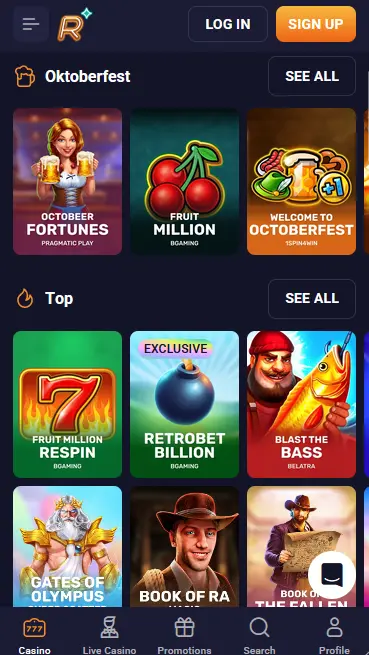
RetroBet PWA: Strengths and Limitations
Pros
Cons
Protecting Your Account on Mobile
What You Should Do
What You Should Avoid
Device Requirements
Android
iOS
What Makes Our Mobile Experience Different
Full Lobby on Mobile
Every slot, live table, jackpot, and bonus-buy game available on desktop is also accessible through the RetroBet PWA, with no features stripped down for mobile.
Fast Loading on Any Connection
Slots and live dealer tables from Evolution Gaming and BGaming load quickly even on older handsets or moderate Wi-Fi, without buffering or texture pop-in.
SSL-Secured Sessions
Every session in the RetroBet PWA runs over SSL encryption, and two-factor authentication is available to protect your account on shared or public networks.
How to Install the RetroBet App
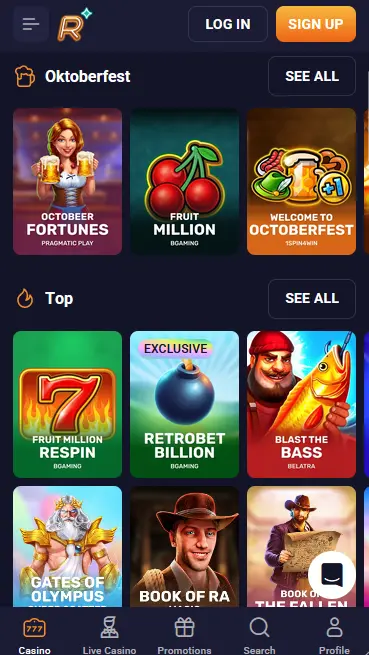
RetroBet does not offer a native downloadable application through the Google Play Store or the Apple App Store. Instead, Canadian players on both Android and iOS can install the RetroBet Progressive Web App (PWA), which delivers the same casino experience through a browser-based application pinned to your home screen. The PWA requires no storage space beyond the browser it runs in and updates automatically every time it is launched with an internet connection.
On Android devices, the recommended browser is Chrome. Open Chrome, navigate to retrobet24.com, and use the three-dot menu to select Add to Home Screen. The process creates a shortcut that behaves like a native app icon. No specific minimum Android OS version is published by RetroBet, but any Android handset running a current version of Chrome performs the PWA smoothly.
On iOS devices, the Add to Home Screen feature requires Safari. Open Safari, navigate to retrobet24.com, and tap the Share button (the box-with-arrow icon at the bottom of the screen). Scroll through the share sheet options and tap Add to Home Screen, then tap Add to confirm. No specific minimum iOS version is published, though iOS 14 or later is recommended for the best performance with live dealer tables.
| Feature | Android | iOS |
|---|---|---|
| Recommended browser | Chrome (latest) | Safari (latest) |
| Install method | Add to Home Screen via Chrome | Add to Home Screen via Safari |
| App Store listing | Not available | Not available |
| Native app | No (PWA only) | No (PWA only) |
| Game library access | Full (7,000+ titles) | Full (7,000+ titles) |
Every title in the RetroBet catalogue is accessible through the PWA, with no mobile-exclusive restrictions or reduced game lists. The lobby structure, filters, and search bar function identically to the desktop version.
All slot formats are available including video slots, Megaways titles, Hold & Win mechanics, bonus-buy slots, and classic three-reel games. Titles such as Aloha King Elvis, Retrobet Billion, and Snoop Dogg Dollars by BGaming load within a couple of seconds. High-volatility titles from Hacksaw Gaming, Play’n GO, and Endorphina perform consistently on mid-range handsets. The Bonus Buy section, which lets you purchase direct entry to a slot’s free spins round without waiting for a natural trigger, is fully accessible from the mobile lobby.
Live dealer tables from Evolution Gaming, Pragmatic Play Live, Playtech, and Iconic21 run stably through the PWA even on hotel or airport Wi-Fi. The live lobby includes over 160 live blackjack tables, 36 live roulette variants including Lightning Roulette and Gravity Roulette, 20 baccarat tables, and 27 game show titles including Crazy Time and Monopoly Big Baller. The Live VIP section with higher betting limits is equally accessible on mobile.
RNG blackjack, roulette, baccarat, and poker titles play without delay through the PWA. Instant win games including crash, Plinko, and Mines from Spribe are also in the mobile lobby.
Progressive jackpot slots including Lucky Piggies and Golden Dragon Inferno are listed under the Jackpot tab in the mobile lobby. Jackpot wins are paid in full by Stable Tech N.V. regardless of standard withdrawal limits.
Installing the RetroBet PWA takes under two minutes on either Android or iOS. The steps differ slightly between platforms because each uses a different default browser.
Open Chrome on your Android device and navigate to retrobet24.com. Sign in to your existing account or register a new one. Once on the homepage or in the lobby, tap the three-dot menu icon in the top-right corner of Chrome. Select Add to Home Screen from the dropdown. A dialogue box will appear asking you to confirm the name of the shortcut; tap Add. The RetroBet icon will appear on your Android home screen. Tap it to open the casino instantly in future sessions.
Open Safari on your iPhone or iPad and navigate to retrobet24.com. Sign in or register. Tap the Share icon, which appears as a square with an arrow pointing upward, at the bottom centre of the Safari screen. In the share sheet that slides up from the bottom, scroll horizontally through the icons or vertically through the list until you find Add to Home Screen. Tap it. You can edit the shortcut name if you prefer; then tap Add in the top-right corner. The RetroBet icon now appears on your iOS home screen and acts as a direct launch button.
You can register a new RetroBet account directly through the PWA. Open the installed app or visit retrobet24.com in your mobile browser, then tap Sign Up. The registration form asks for your email address, a password, your phone number, your country (select Canada), and your account currency (select CAD). Confirm your age (19+, or 18+ in Alberta, Manitoba and Quebec), accept the terms, and your account is ready immediately. No document upload is required to begin playing; verification is completed when you make your first withdrawal.
Tap the RetroBet icon on your home screen to launch the PWA. If your session is still active from a previous visit, the lobby opens directly. If the session has expired, the login screen appears: enter your registered email address and password. For added security, enable two-factor authentication in your account settings so that each sign-in requires a confirmation code. Full login troubleshooting and password reset steps are available on the RetroBet login page.
All four stages of the welcome package are available through the PWA cashier. Make your deposit, enter the relevant bonus code (RISETOP for the first deposit, POWERUP for the second, HOPTOIT for the third, CATCHME for the fourth), and the bonus funds and free spins are credited to your account within seconds. Free spins are played on Aloha King Elvis by BGaming. The standard wagering requirement is 40x the bonus amount, valid for 7 days. Minimum deposit is $30. Players must be 19+ (18+ in Alberta, Manitoba and Quebec). For a full breakdown of all bonus codes, terms, and the VIP program, visit the full RetroBet bonus page.
The RetroBet PWA offers the full range of account functions available on desktop: deposits and withdrawals through Interac e-Transfer and all other supported payment methods, access to the bonus panel and promo code entry, live chat access to support, KYC document submission, and account settings including password change and 2FA setup. The lobby is organised identically to desktop, with tabs for Slots, Live Casino, Bonus Buy, Megaways, Hold & Win, Jackpots, and Instant Win games.
The PWA differs from opening retrobet24.com in a fresh browser tab in two practical ways. The session remains active for longer, reducing how frequently you need to re-enter your credentials. And launching from the home screen icon is faster than typing the URL or opening a bookmark. Game content, account features, and payment options are identical in both contexts.
All RetroBet payment methods are available through the PWA cashier, including Interac e-Transfer, Visa, Mastercard, Apple Pay, MuchBetter, MiFinity, Neosurf, Flexepin, and all supported cryptocurrencies including Bitcoin, Ethereum, USDT, Litecoin, Dogecoin, and Bitcoin Cash. The minimum deposit for fiat methods is $30.
| Method | Deposit Speed | Withdrawal Speed |
|---|---|---|
| Interac e-Transfer | Instant | 0-24 hours |
| Visa / Mastercard | Instant | 3-5 banking days |
| Apple Pay | Instant | Instant |
| MuchBetter | Instant | Instant |
| MiFinity | Instant | Instant |
| Bitcoin / ETH / USDT | Instant | Within ~15 minutes |
Every transaction through the RetroBet mobile cashier runs over SSL encryption. Cryptocurrency transactions use standard blockchain confirmation protocols. RetroBet does not charge fees on deposits or withdrawals. A 1x wagering of each deposit must be met before a withdrawal is submitted.
All data transmitted between your device and RetroBet’s servers is protected by SSL encryption, regardless of whether you are using the PWA or the desktop site. This covers login credentials, payment details, and account information.
Two-factor authentication is available in your account settings. With 2FA enabled, signing in requires both your password and a one-time code sent to your registered email or phone number. This is strongly recommended for any account using Interac e-Transfer or holding an active bonus balance.
If your device supports fingerprint or face recognition for browser-based authentication, your handset’s built-in biometric sign-in can be used to autofill saved credentials when opening the PWA. This feature is managed by your device’s operating system and browser, not by RetroBet directly.
Support is available 24/7 across all Canadian time zones through live chat and email. To reach a live agent through the PWA, open the chat icon in your account, navigate the topic menu, and select Contact Support. For detailed queries, email [email protected]; replies typically arrive within one hour. The Help Centre within the app covers account access, payment procedures, bonus terms, and game fairness documentation.
RetroBet’s responsible gaming page is accessible from the left-side menu on any device, including through the PWA. It contains direct links to GamCare, Gamblers Anonymous, and Gambling Therapy. For households with devices shared between adults and minors, parental control tools including CyberPatrol, GamBlock, and Net Nanny are recommended to restrict access.
App Questions Answered
No. RetroBet does not have a native app in either store. Instead, we offer a Progressive Web App (PWA) that you install by adding retrobet24.com to your home screen through Chrome on Android or Safari on iOS.
No. The PWA requires an active internet connection to load games and process transactions. It is not an offline application.
Yes. Interac e-Transfer is fully available through the RetroBet PWA cashier on both Android and iOS, with the same $30 minimum deposit and instant crediting as on desktop.
The PWA updates automatically each time you open it, provided your device is connected to the internet. You do not need to manually install updates or visit an app store.
Install the RetroBet App and Start Playing
Grab 100% up to $22,500 and 500 free spins.
Play Now Gambling can be addictive. Players must be 19+ (18+ in Alberta, Manitoba and Quebec). Bonus terms and conditions apply.