Instant Access
One set of credentials works across desktop, mobile browser, and the RetroBet PWA installed on your home screen.
Login at RetroBet in Canada: Account Verification (KYC)
Access your account, claim your Interac e-Transfer deposits, and get straight into the games.
Keeping Your Account Safe
What You Should Do
What You Should Avoid
Your Account, Your Way
Instant Access
One set of credentials works across desktop, mobile browser, and the RetroBet PWA installed on your home screen.
Secure Sign-In
Every session runs over SSL encryption, and two-factor authentication is available to add a second layer of protection to your account.
Mobile-Ready
Sign in from any Android or iOS browser or through the installed web app with the same email and password you registered with.
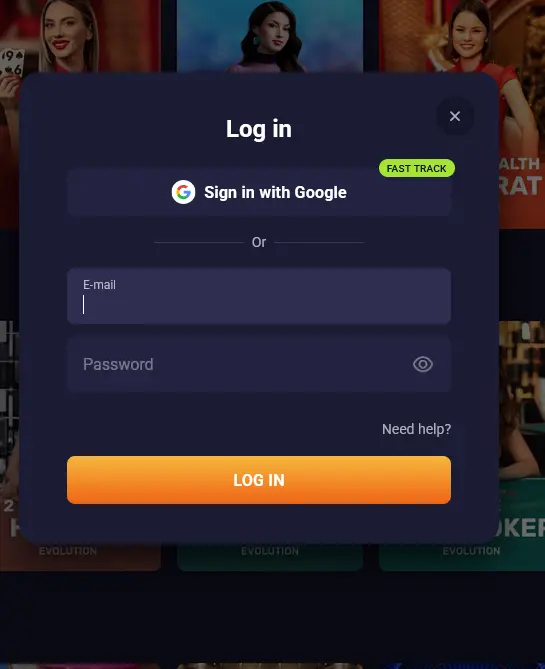
Most login issues at RetroBet have a straightforward cause and a quick fix. The most frequent problem is a mistyped password, which can be resolved in under two minutes using the Forgot Password link on the login screen. After entering your registered email address, you will receive a reset link; follow it, choose a new password, and sign in immediately.
If your password is correct but access is still blocked, check that you are entering the email address you used during registration. Some players register with a work or secondary address and later try their primary inbox. If you remain locked out after checking these steps, contact us at [email protected] with your registered email and we will investigate within the hour.
A temporary account suspension can also occur if KYC verification has been triggered before your first withdrawal. In that case, you will receive an email requesting documents: a government-issued photo ID (a driver’s licence, a Canadian passport, or a provincial photo ID card) and, if requested, a proof of address such as a utility bill or a bank statement dated within the last three months. Submitting these documents through the verification portal restores full account access usually within 24 hours.
RetroBet uses a single sign-in method: your registered email address and the password you set at registration. There is no social login (Google, Apple, or Facebook sign-in) and no username-based access. Your email is your unique identifier, so the same address and password work whether you are connecting from a desktop browser, a mobile browser, or the RetroBet Progressive Web App installed on your home screen.
Two-factor authentication (2FA) is available in your account security settings. Enabling it means that after entering your email and password, you will also need to confirm the login via an authentication code sent to your registered email or mobile number. This is the recommended configuration for anyone depositing via Interac e-Transfer or holding a significant account balance.
Your RetroBet account holds your CAD balance, your bonus funds, and your personal and payment details, so protecting access is important. Every session on the site runs over SSL encryption, meaning that data transmitted between your device and our servers cannot be intercepted by third parties. This applies equally on the desktop version, the mobile browser, and the installed PWA.
We recommend using a password that is at least 12 characters long, mixes upper and lower case letters with numbers and symbols, and is not reused from any other service. If you believe your credentials may have been compromised, change your password immediately using the Forgot Password flow and email [email protected] to flag the concern.
Signing in to RetroBet from any device follows the same core steps. The interface adjusts to your screen size, but the fields and buttons are in the same positions.
Open your preferred browser, navigate to retrobet24.com, and click the Login button in the top-right corner of the homepage. A sign-in panel will appear. Enter your registered email address in the first field and your password in the second, then click Sign In. The lobby loads within a few seconds. If you have 2FA enabled, a confirmation prompt will appear before the lobby opens.
Open your mobile browser (Chrome on Android or Safari on iOS), type retrobet24.com into the address bar, and tap Login. The mobile login panel is identical to the desktop version. Enter your email and password, tap Sign In, and the full game catalogue is available immediately. No account features are restricted on the mobile browser.
If you have installed the RetroBet Progressive Web App by using the “Add to Home Screen” option in your browser, tap the RetroBet icon on your home screen. The app opens directly to the lobby if you were previously signed in, or to the login screen if your session has expired. Enter your credentials as usual. The PWA retains your session for longer than a standard browser tab, so repeated sign-in is less frequent.
Registration at RetroBet is open to players who are 19 years of age or older (18+ in Alberta, Manitoba and Quebec). To create an account, visit retrobet24.com and click Sign Up. The form asks for your email address, a password, your phone number, your country (select Canada), and your preferred currency (select CAD). Once you tick the age confirmation and accept the terms, your account is active immediately and you can make your first deposit via Interac e-Transfer, Visa, Mastercard, Apple Pay, or cryptocurrency. You do not need to upload any documents to begin playing; verification is requested before your first withdrawal.
Login Questions Answered
Click the Forgot Password link on the login screen, enter your registered email address, and follow the reset link sent to your inbox. If the email does not arrive within a few minutes, check your spam folder or contact [email protected].
Yes. Open retrobet24.com in Safari on your iPhone, sign in with your email and password, and the full lobby is accessible in the browser. You can also tap Share and then Add to Home Screen to install the RetroBet PWA for faster future access.
Account locks often occur during KYC verification or after multiple failed login attempts. Email [email protected] with your registered email address and the support team will guide you through the unlock process.
No. Stable Tech N.V. permits one account per player. Opening a second account can result in both accounts being suspended and any pending withdrawals being voided under the terms and conditions.
Ready to Play? Log In Now
Grab 100% up to $22,500 and 500 free spins.
Play Now Gambling can be addictive. Players must be 19+ (18+ in Alberta, Manitoba and Quebec). Bonus terms and conditions apply.